Tuva 1.4 - Custom Workflows
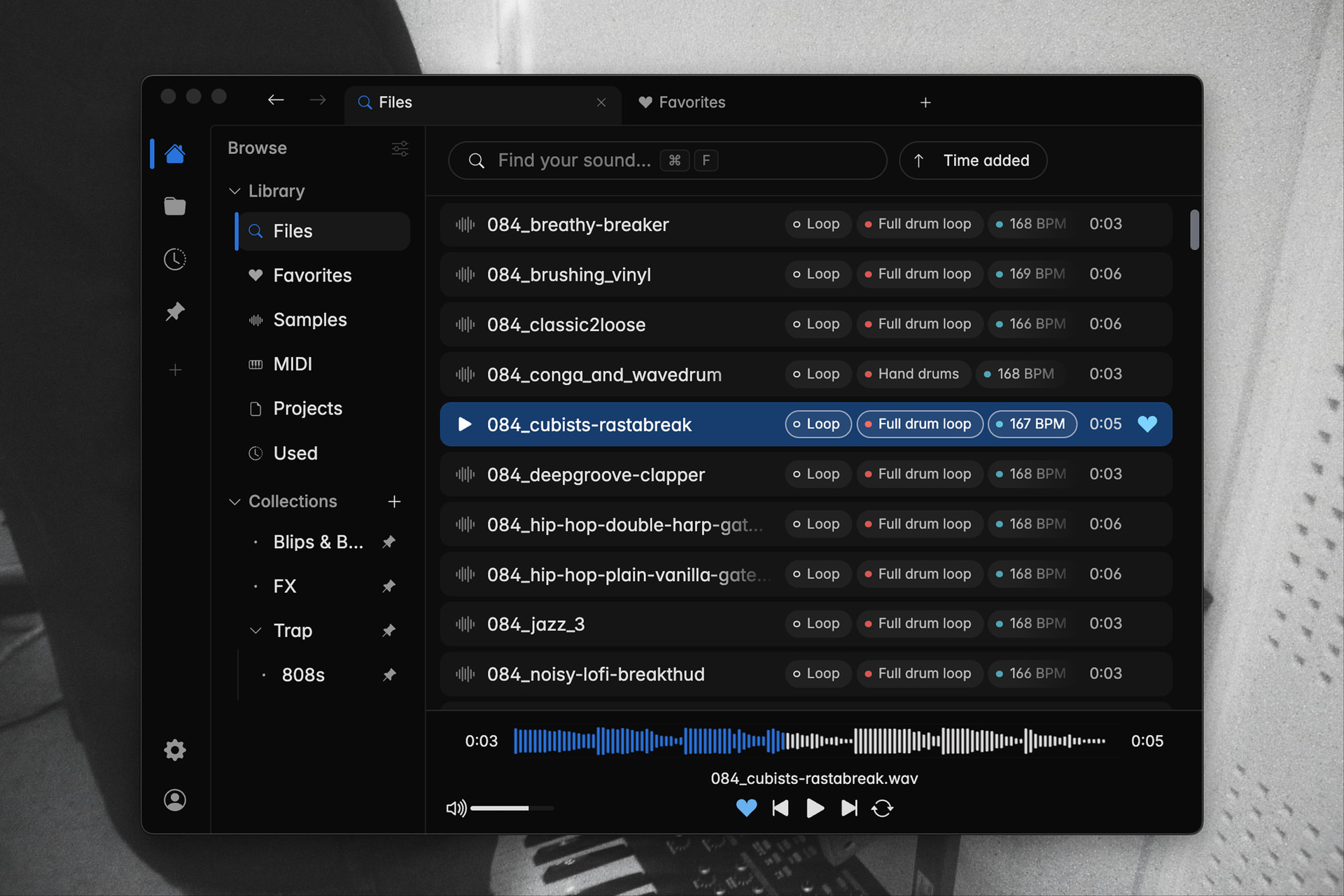
With Tuva 1.4, we have built upon the previous layout, adding new ways of personalizing the workflow while staying true to the original Tuva DNA. We are glad to finally give you a chance to try it out.
Our philosophy
Since the beginning, we have considered minimalism as the core of our design philosophy with Tuva.
Of course, we want Tuva to be aesthetically pleasing, but that is not the point of minimalism in our minds. What we think of minimalism, is that every feature and interaction should feel obvious regardless of experience with the app, as well as adding great value to your workflow.
However as Tuva has developed, especially since releasing support for project files in 1.3.8, we have realised that multiple workflows and use-cases have appeared which inevitably are of different value for different users.
So we sat down at the desk, and tackled the question:
"How can we, in the best possible way, make it such that every user feels that Tuva works seamlessly for their workflow?"
What's new
Custom workflows
One of the first things we discussed, was that the left bar was beginning to feel crammed. And there is still a million (not actually, but figuratively) features to be added.
So the natural answer to this was that each user should be able to decide for themselves what they want to include in the left bar.
But then we thought, "What if you want to see projects sometimes, and sometimes only samples?".
And that is why we added the option to create multiple views of the left bar, such that you can different views that include just what you need for each of your workflows.
Tabs
Another issue that had been bothering us, was that when we were searching for a specific file, we felt the need of being able to search multiple things in the same session.
While the arrows to navigate back and forth between views gave some ability to do this, it was at the same time hard of keeping track of what you were jumping back and forth between.
As such, we eventually figured that tabs was the solution we were looking for. We won't go as far taking credit for the invention of tabs, but that is also exactly the reason why we chose it.
As Co-Founder and Design Lead William Garnett puts it:
"Every one of our users have had to use a browser, at least at some point. So if we just make Tuva work like an ordinary browser, they should already know how Tuva works."
Pinned items
You can now pin collections, folders and previous searches in Tuva. These will appear both in an own section in the left bar, but also alongside quick access-items and recent searches when you open a new tab.
Other fixes & improvements
In the last week, we have had a large number of new users, which we are really glad about. With that, we have also gotten a lot of reports of bugs & performance issues that were previously unknown to us. Together with the fixes released in 1.3.11, 1.3.12, and now some additional fixes in 1.4, which we hope should resolve your issues.
However, we have noticed a scaling issue with the similarity search feature just prior to the release of the update. As such, we're temporarily limiting the number of files that we build similar sounds for to 100.000, and lower the results to 10 per sample. We are already working on a long-term fix for this, which should be in place within weeks.
Massive thanks to all of you who have reached out about issues so far, we hope that this update should give you a better experience, with both a more stable app and an even better workflow.
Sincerely, The Tuva team